Shared Household Finance8 min read
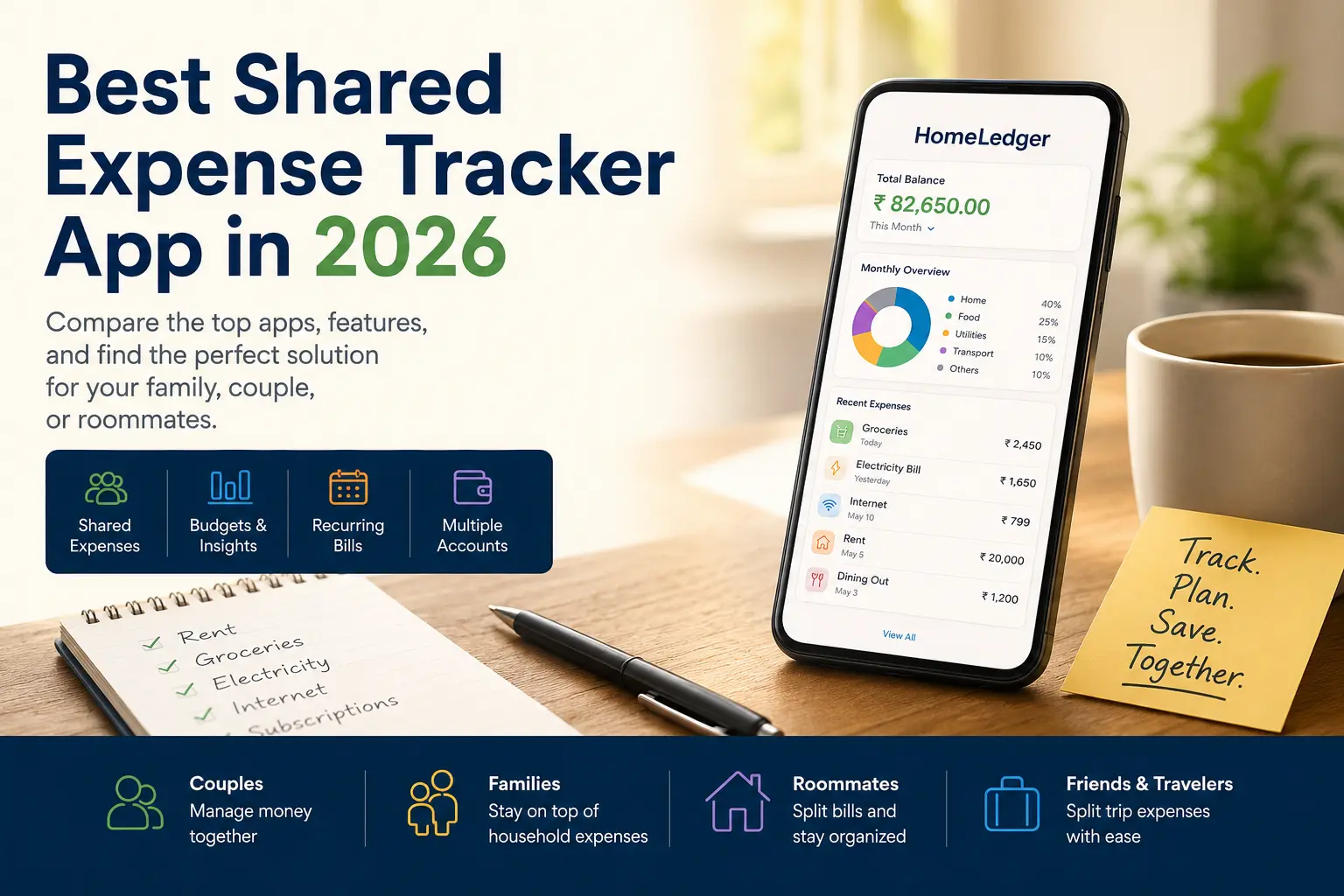
7 Best Shared Expense Tracker Apps in 2026
Compare seven apps for shared expenses, from household budgets to group bill splitting. See pricing models, limitations and which tool fits your situation.
Read articleCompare HomeLedger and Splitwise for recurring household bills, monthly budgets, shared purchases and reimbursements, including costs and limitations.
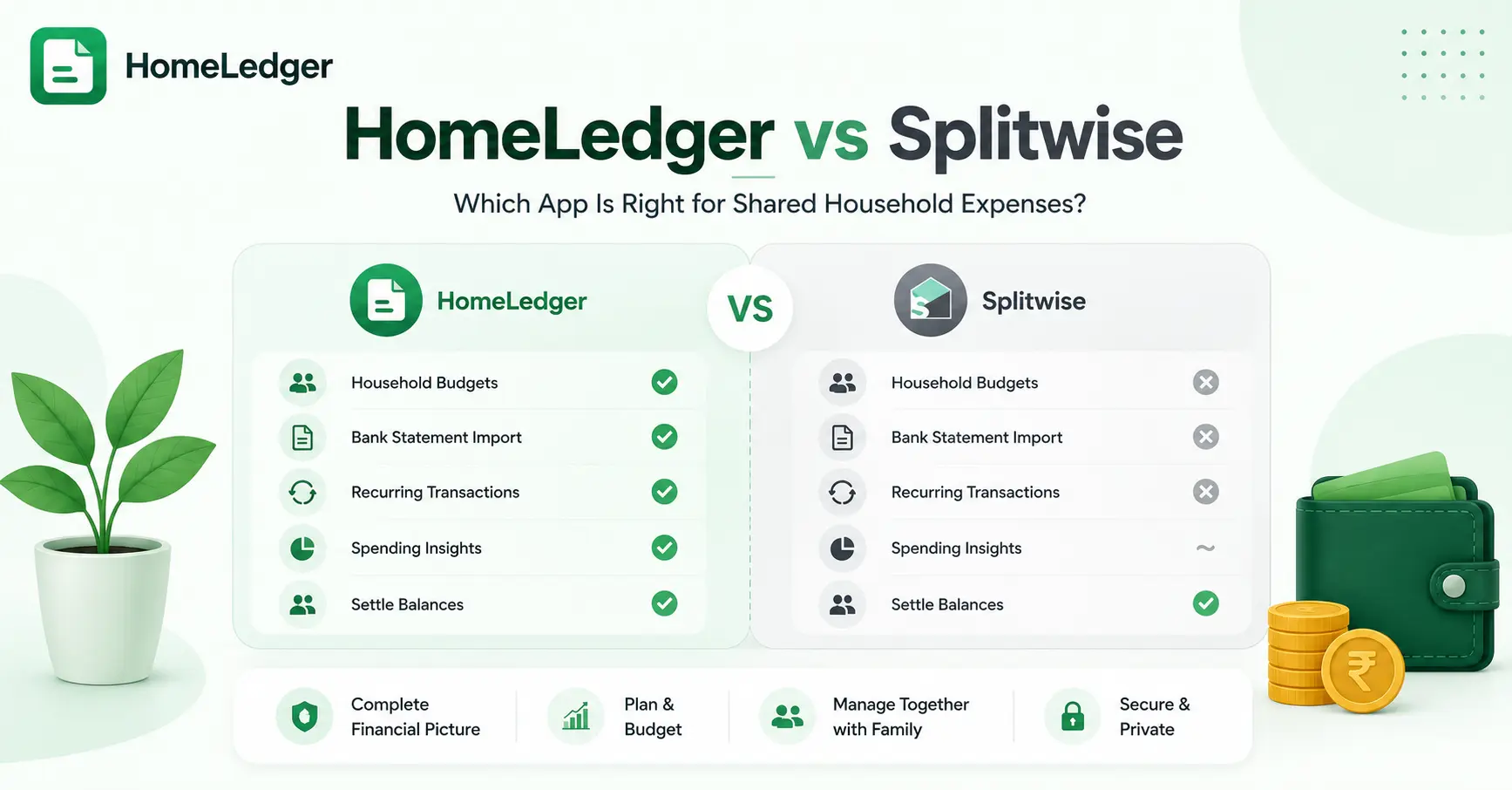
HomeLedger and Splitwise both help people organize shared expenses, but they focus on different outcomes. Splitwise is designed around who owes whom; HomeLedger is designed around the ongoing finances of a household. You may need one, the other, or a combination depending on how you manage money.
Editorial disclosure: This comparison is published by the HomeLedger team. We checked publicly documented features and pricing on November 24, 2026. This is not an independent hands-on review, and we do not claim that our own product is superior for every use case.
| Feature | HomeLedger | Splitwise |
|---|---|---|
| Record shared expenses | Shared household transaction records | Shared expenses and individual shares |
| Main financial view | Income, expenses, accounts and budgets | Group debts and balances |
| Recurring entries | Documented | Documented |
| Monthly household budget | Core use case | Not the main focus; Pro includes spending charts |
| Import | Compatible CSV and Excel bank statement files | Pro card transaction import in the US |
| Settlement | Check available app workflow; separate free web calculator available | Core group balance and reimbursement workflow |
| Platform | Android and web preview | Mobile and web |
| Pricing | Free Android download; check current offering | Free with daily expense limit; Pro removes that limit |
The table describes the products' published positioning rather than asserting that a feature is absent just because it is not documented. Platform and plan features may differ.
HomeLedger gives a household a shared place to record income, expenses, accounts and monthly budget limits. It also documents recurring transactions, spending reports and compatible bank statement imports. These features are useful when several people contribute to the same household over time.
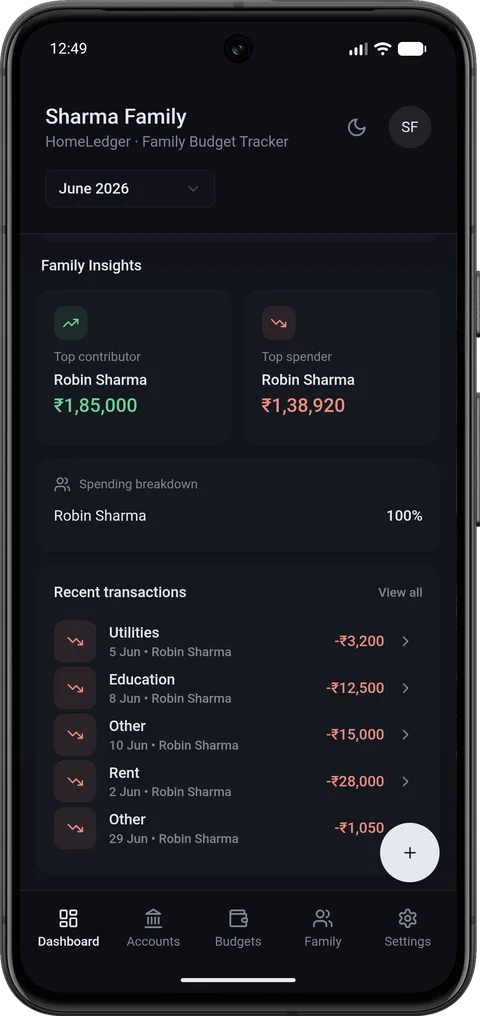
For example, a family can organize rent, groceries and utilities as categories and compare the recorded spending with its monthly plan. See the HomeLedger feature overview, Android listing and web preview.
Limitations: The web app is in preview; check whether the specific functions you use on Android are available there. File-based import is not the same as a continuous bank feed. For a short trip or simple debt-settlement workflow, a dedicated group splitter may be a better fit.
Splitwise organizes shared purchases into balances so participants can see how much they owe or are owed. It supports repeating expenses, including monthly bills. The Pro plan adds unlimited daily entries, receipt tools, spending charts, currency conversion and default split settings. Its advertised card transaction import is currently US-only.
Limitations: Splitwise confirms that the free tier has a daily expense-entry limit. The exact price of Pro can depend on location and platform. If you need a full income, account and monthly household budget view, consider whether you also need a budgeting tool.
Sources: Splitwise Pro, free-tier limits, recurring expense help.
Imagine two roommates who share ₹20,000 in rent, ₹4,000 in groceries and ₹2,000 in utilities. Assume the first pays the rent and utilities, while the second pays for groceries.
| Expense | Paid by | Amount |
|---|---|---|
| Rent | Roommate A | ₹20,000 |
| Groceries | Roommate B | ₹4,000 |
| Utilities | Roommate A | ₹2,000 |
| Total | Both | ₹26,000 |
With an equal split, each roommate's share is ₹13,000. Roommate A has paid ₹22,000 and roommate B has paid ₹4,000, so B owes A ₹9,000.
A group splitter such as Splitwise is useful for calculating and recording this settlement. The household budgeting question is different: if the roommates planned ₹24,000 in total shared spending, they exceeded that plan by ₹2,000. That is where a household budget view can help.
These are illustrative calculations, not screenshots of tested app results. You can reproduce the allocation with our shared expense split calculator, and the budget comparison with our household budget calculator.
For trips, meals with friends and roommate bills, start with a tool that shows debts and settlements clearly. Splitwise is a reasonable option if its free limits or Pro price suit the group. If the free limit is a problem, compare Tricount or other group splitters in our shared expense app guide.
For couples or families who want to keep income, spending, recurring costs and budgets together, compare HomeLedger with household budgeting tools. Explore the family expense tracker and couples budgeting app comparison before deciding.
Yes. A group splitter can handle reimbursements while a separate budget app tracks what those expenses mean for your monthly finances. If you use both, avoid counting the same purchase and its reimbursement as two separate household expenses. Agree which tool is the source of truth for each type of record.
Before transferring financial history, check export options in your current app and import requirements in the new one. HomeLedger's reviewed beta import supports compatible CSV, XLS and XLSX statement files; that does not guarantee that a Splitwise export will import unchanged. Test a small file first and review the HomeLedger bank statement import guide.
Yes. Its official help center documents repeated expenses on the web and mobile apps, including monthly intervals.
Splitwise has a free tier with a daily expense limit. Pro removes the daily limit and adds extra features. Check the current local subscription price.
It is an alternative for households that primarily want shared spending records and monthly budgets. For tracking debts and reimbursements, compare the exact settlement workflow you need before switching.
We have not verified direct compatibility with Splitwise exports. HomeLedger supports compatible CSV and Excel statement files; check the file format and test a few records before importing a full history.
Couples who primarily reimburse each other may prefer a bill splitter. Couples who want a common monthly budget and spending overview may prefer a household finance tool. The choice depends on how they manage their money together.
Start with the problem you want to solve, not the name of the app. Use Splitwise or another group splitter when repayment balances are the priority. Consider HomeLedger for long-term household spending and budgets. Read our guide to tracking shared expenses or explore HomeLedger on the web to see whether it fits your routine.
Plan monthly budgets, track shared expenses, and keep every family member aligned. Available on Android and in web preview.
Keep reading
More guides on family budgeting, shared expenses, and household finances.
Compare seven apps for shared expenses, from household budgets to group bill splitting. See pricing models, limitations and which tool fits your situation.
Read article
Compare five budgeting apps for couples by shared budgets, account access, pricing, bank import and regional availability.
Read article
Learn the best ways to split household expenses fairly with your partner, family, or roommates. Explore common methods, practical examples, and tips for managing shared finances.
Read article